
21+ Best React Dashboard Templates in 2026
Explore 21+ best React dashboard Templates in 2026. Admin templates and UI kits for developers with clean UI, flexible layouts, and AI-assisted workflows.

Vinish Bhaskar
17 May 2026
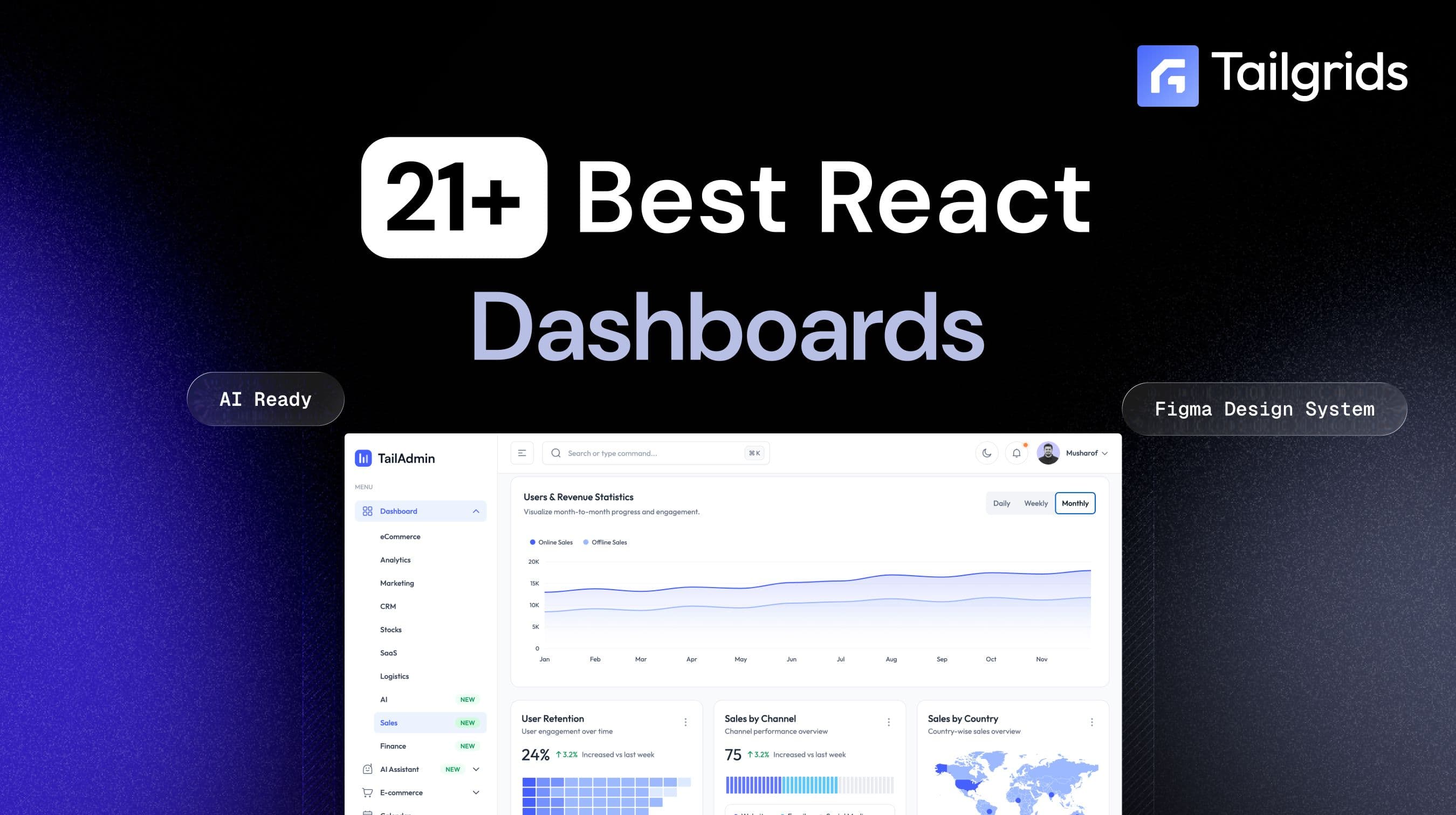
React is the most popular choice for admin dashboards in 2026. The component model maps cleanly to dashboard UI patterns. The ecosystem covers every use case. And the developer pool is the largest of any frontend framework.
But the options are overwhelming. Dozens of dashboard templates. Multiple UI libraries. Free tiers that look complete but ship with 3 pages. Premium options that cost $300 and run on React 16.
A well-built React admin dashboard is the operational core of your web application. It handles user management, billing activity, analytics, permissions, and system configuration. The teams that ship fast pick the right foundation early. The ones that don't spend months rebuilding components they should have had on day one.
We went through 21+ React admin dashboard templates so you don't have to. Free and open-source options sorted by community adoption. Premium templates checked for production readiness. Every entry is scored on tech stack currency, UI library quality, authentication, and AI-assisted workflow support.
Teams are shipping LLM-powered features, AI chat interfaces, and agent-driven workflows inside admin panels. Templates that cannot support those patterns are already a version behind.
Here is everything you need to pick the right one.
What to look for in a React dashboard
Most developers skip this step. They find a template that looks good, clone the repo, and spend the next three weeks working around decisions the original author made for a different use case.
Tech Stack Compatibility
React 19 introduced a compiler that eliminates manual memoization and concurrent rendering improvements. A template on React 17 or 18 works, but you inherit technical debt from day one.
Bundler choice splits into two camps.
- Next.js for server-side rendering, API routes, and auth middleware.
- Vite for internal tools and SPAs where build speed matters more than SSR.
TypeScript support is non-negotiable. Retrofitting types onto a large component library is not a productive use of engineering time.
UI Library Fit
The choice of UI frameworks shapes every downstream component decision. Switching UI libraries mid-project is one of the most expensive mistakes a frontend team can make.
- Tailwind CSS: Maximum flexibility, zero design system constraints. Higher initial effort, but no pre-built component overhead.
- shadcn/ui: Copy components directly into your codebase. No black-box dependencies, no version lock-in. Best for teams who want full component ownership.
- Material UI: Largest component library, deepest theming system. The right call for enterprise teams who need comprehensive coverage.
- Ant Design: Richest enterprise-grade components. Dominant in data-heavy financial, logistics, and operations applications.
- Bootstrap: Lowest learning curve. Best for teams migrating from traditional CSS workflows.
AI-Assisted Workflow
An AI-ready template meets at least one of these criteria.
- Dedicated AI page templates, such as text generators, image generators, or chat interfaces. MCP supports connecting UI to external tools and data sources.
- LLM API integration or a documented pattern for doing so.
- CLI tooling, Agent.md, or Skill.md for AI-assisted development workflows.
Templates that meet none of these are not disqualified. But they will not earn the AI-ready label. If AI features are anywhere on your roadmap, that label is the first filter to apply.
Production Readiness Checklist
- Authentication pages: Login, register, forgot password, and two-factor. Wiring auth from scratch adds days to your timeline.
- Responsive design: Poorly built responsive admin panels break first on tablet viewports, not just mobile.
- Accessibility: Keyboard navigation and ARIA labels are important for compliance and for enterprise customers that require WCAG standards.
- Active maintenance: Check GitHub. The last update, commit date, and the open issue ratio tell you more than the live demo does.
- License: MIT for commercial use. Read it before building a client project on any template.
21+ Best React Dashboards
Explore the best React dashboards and admin templates for 2026. We evaluated each template based on the tech stack, the quality of the UI library, authentication, and support for AI-assisted workflows.
TailAdmin

TailAdmin is the most complete free React admin dashboard template in 2026. 500+ Essential UI components, elements, and pages, 10 dashboard variations, and a Figma kit. Flexible dashboard shells for every product type with charts, graphs, cards, and counter styles throughout.
Key Features
- 10 dashboard variations covering Analytics, E-commerce, CRM, SaaS, Stocks, Logistics, and Marketing
- Dedicated AI pages for chat, image generation, video generation, and code generation
- 6 sidebar layouts, including classic, collapsible, nested, and documentation shells
- Full TypeScript support across all components
- Tailwind CSS v4 is compatible with the migration guide included
- React, Next.js, Vue, Angular, and Laravel versions available
AI Ready
Yes. Dedicated pages and UI elements for AI chat, image generator, video generator, and code generator ship out of the box.
Pros
- Reduces development time significantly with 500+ ready-to-use components.
- 10 dashboard variants.
- Both Vite and Next.js versions are available. No bundler lock-in
- 6 Sidebar layouts and dashboard shells
- The open-source version is MIT licensed. Safe for commercial use
- Lifetime free updates at no extra cost
Cons
- Free version ships 50+ UI elements and 10+ pages, full library requires Pro
- Full Figma design source requires the Business plan
- Initially, 10 dashboard variations can make the setup of a smaller project overwhelming.
Best For
Enterprises and teams that need maximum page coverage, AI-ready components, and UI elements at zero upfront cost.
Tailgrids React Dashboard Templates

Tailgrids UI offers 18 React templates styled with Tailwind CSS, each designed for a specific use case. Every template follows the Tailgrids UI design, giving you a consistent design system whether you use one or all of them.
Key Features
- It has six templates designed for internal tools and dashboards.
- Neoxa - React SaaS Dashboard Template. Full SaaS operations coverage, including users, orders, invoices, subscriptions, support tickets, and auth flow.
- DashSpace - React Admin Dashboard Template. Works well for project management and operations dashboards.
- Lytic - React SaaS Analytics Dashboard Template. Five dedicated dashboards covering revenue, MRR, traffic, campaigns, and users in one structured template.
- Fundex - React Personal Finance Dashboard Template. The only purpose-built fintech template on this list covers income, expenses, budgets, cash flow, and transactions.
- CMS Dashboard - React Content Management Dashboard Template. Built for newsletters, membership sites, and creator platforms, tracking subscription revenue and content performance.
- AI Chat - React AI Chat Interface Template. Complete chat UI for AI assistant apps, including conversation history, model selector, project sections, quick actions, and multi-line input.
AI Ready
Partial. AI Chat is purpose-built for AI assistant applications. The remaining five templates are built for operational and analytics workflows. Pair with AI UI Components to add LLM-powered features to any template.
Pros
- Six templates covering six distinct use cases, including the only dedicated React AI chat interface on this list
- Consistent Tailgrids UI component system across all six. Mix pages across templates without design inconsistency
- Auth flow included in Neoxa. Settings and security pages are included across multiple templates
Cons
- Premium only. No free tier or open-source version
- Newer releases with limited community feedback compared to established free alternatives
- Five of six templates do not include AI page templates natively
Best For
Product teams that need structured, production-ready React templates for specific verticals without building page by page from scratch.
React UI Blocks, and AI Components

Tailgrids dashboard UI blocks are not templates. It is the component infrastructure layer for React dashboards built on Tailwind CSS. The dashboard block library covers every core admin UI pattern. The AI Components library covers dedicated blocks for LLM-integrated interfaces.
The right choice for teams that need to build a dashboard from scratch without template constraints.
Key Features
- 600+ dashboard UI blocks covering KPI cards, data tables, charts, sidebars, navigation, calendar, chat, maps, and settings panels
- Dedicated AI block set covering text, image, video, and code generation interfaces
- AI sidebar and AI hero components for LLM-integrated dashboard layouts
- Works with any React project, regardless of template or starting point
- Figma UI kit available for design-to-code alignment
- CLI installation via Tailgrids CLI for fast component setup
AI Ready
Yes. The AI Components library is purpose-built for AI-integrated dashboards. The only component-level AI dashboard solution on this list.
Pros
- 600+ blocks cover the full dashboard UI surface. No component gap that sends you looking elsewhere
- AI Components block set is the only dedicated AI dashboard UI library on this list
- Works with any React template or custom build.
- Free tier available. Core blocks are accessible without a Pro license
Cons
- Requires more assembly than a pre-built template.
- Higher initial effort than dropping in a full template
- A Pro license is required for the full block library and AI Components
Best For
Enterprise teams and product teams building fully custom React admin interfaces that need both operational dashboard components and AI-ready UI blocks.
Refine

Refine is not a template. It is a React framework for building internal tools, admin panels, and B2B applications at the infrastructure level. If you expect to outgrow a starter template within 12 months, Refine is the more honest starting point.
Key Features
- Headless by design. Works with Material UI, Chakra UI, Ant Design, or any custom design system
- Built-in hooks for authentication, access control, routing, networking, state management, and internationalization
- Native support for Okta, Azure AD, Amazon Cognito, and Google Cloud Identity for enterprise auth
- Out-of-the-box support for ACL, RBAC, and ABAC access control models
- RefineAI ships as a purpose-built AI agent layer that analyzes your backend and generates precise React code
AI Ready
Yes. RefineAI generates complete internal tools by analyzing your database schema through natural language chat before downloading or deploying. Additionally, use Tailgrids AI Components without architectural conflicts.
Pros
- Framework-level architecture. You never outgrow it the way you outgrow a template
- UI library agnostic. Bring your existing design system or pick from supported options
- Enterprise auth and access control built in at the framework level
- MIT licensed and free for commercial use in the open-source version
Cons
- Steeper learning curve than dropping in a pre-built template.
- Not the right choice for projects with a fixed short-term scope
- Headless approach means you assemble more UI yourself compared to template-first options
- Enterprise Edition required for advanced features like ag-grid datagrid and guided tours
Best For
Enterprise teams building internal tools, CRMs, or any admin application that needs to connect to existing APIs and scale with the organization.
Ant Design Pro

Ant Design Pro is backed by Alibaba and has 38,000+ GitHub stars, making it one of the most widely adopted enterprise React dashboard frameworks. It is not just a template. It is a full enterprise application scaffold built on Ant Design's component system and the UmiJS framework.
Key Features
- Built on React 19, Umi Max 4, and Ant Design 6 with TypeScript support
- Built-in i18n solution supporting dozens of languages out of the box
- Customizable theming with Tailwind CSS v4 and antd-style
- Mock development environment included for frontend work before the backend is ready
- Built-in AI chatbot page powered by Ant Design X
- Unit and end-to-end test coverage included
AI Ready
Partial. Ships with a built-in AI chatbot page powered by Ant Design X. No broader AI page templates, MCP integration, or agent tooling included.
Pros
- 38,000+ GitHub stars. One of the most battle-tested React dashboard scaffolds available
- Built-in i18n is production-grade. Most templates treat internationalization as an afterthought
- Full unit and e2e test setup included out of the box
Cons
- UmiJS, as the bundler, adds a learning curve for teams outside the Alibaba ecosystem
- Opinionated architecture. Deviating from Umi conventions takes significant effort
- Design language is distinctly enterprise. May require theming for modern SaaS aesthetics
Best For
Enterprise teams building large-scale internal tools or operations platforms that need internationalization, access control, and mock development infrastructure from day one.
Shadcn Admin

Shadcn Admin is built with shadcn/ui, Vite, React, and TypeScript. What sets it apart from every other template on this list is its ownership model.
Key Features
- 10+ pre-built pages covering common admin use cases with shadcn/ui components optimized for dashboard layouts
- Global search command palette for quick navigation across the dashboard
- RTL language support is built in for internationalization
- Fully accessible components following WAI-ARIA guidelines
- Shadcn/ui components modified for dashboard-specific optimizations
- Full TypeScript coverage throughout
AI Ready
No. No AI-specific pages or MCP integration included.
Pros
- Full component ownership. Every component lives in your codebase, not a node_modules dependency
- WAI-ARIA compliant out of the box. Accessibility is built in, not retrofitted
- RTL support included. One of the few templates that handles this at the template level
- Vite-powered. Fast builds and instant HMR
Cons
- A UI reference collection, not a production scaffold
- 10+ pages is a lighter page count than most templates on this list
- Authentication requires a separate implementation
- No charting library is included by default
Best For
Developers who want a clean, shadcn/ui dashboard reference.
Tremor

Tremor is not a dashboard template. It is a React component library purpose-built for data visualization and analytics dashboard interfaces. 35+ fully open-source accessible components built with React, Tailwind CSS, and Radix UI. Vercel acquired Tremor, signaling a long-term investment and alignment with the Next.js ecosystem.
Key Features
- Pre-built chart components, including line, bar, area, donut charts, and sparklines, plus KPI cards and data tables
- 300+ free blocks and templates covering advanced tables to pre-defined dashboard layouts
- Copy-paste approach giving developers complete customization control over component source code
- Handles loading states, error boundaries, empty states, and responsive breakpoints out of the box
- Full TypeScript support with WAI-ARIA accessibility compliance
- CLI setup via tscel for fast initialization
AI Ready
No. No AI-specific pages or MCP integration included.
Pros
- Best-in-class data visualization components in the free React tier
- Copy-paste ownership model. No version lock-in, full control over component code
- Core components and premium blocks are now open source following the Vercel acquisition
- WAI-ARIA compliant across all components
Cons
- React and Next.js only. No support for Vue, Angular, or other frameworks
- Recharts as the charting dependency bounds the chart capabilities to what Recharts supports
- Not a full dashboard template. You assemble pages yourself from components and blocks
Best For
Teams that need to visualize data clearly without building chart infrastructure from scratch.
Material Dashboard React

Material Dashboard 2 React is a Creative Tim free MUI admin template. 70+ frontend elements, including buttons, inputs, navbars, nav tabs, cards, and alerts, all designed around Google's Material Design principles. One of the most recognized names in the React dashboard space since 2018.
Key Features
- 70+ frontend elements, including buttons, inputs, navbars, cards, and alerts, customizable via MUI's styled() API and sx prop
- Prebuilt design blocks for rapid page assembly
- React ChartJS 2 for data visualization components
- Google Material Design visual language is applied consistently across all components
- Free version available for download, with Pro version for extended components
- MIT licensed for the free version
AI Ready
No. No AI page templates or MCP integration included.
Pros
- One of the most recognized and downloaded free React admin templates available
- MUI foundation means deep component coverage and well-documented theming options
- Clean Material Design aesthetic works well for enterprise and internal tools
- Free version is genuinely usable without upgrading to Pro
Cons
- No TypeScript support in the free version. A significant gap in 2026
- Last meaningful update was August 2024. Maintenance cadence is a concern for long-term projects
- React ChartJS 2 is less flexible than ApexCharts or Recharts for complex data visualization
Best For
Teams already invested in the MUI ecosystem who need a proven Google Material Design admin template.
Devias Kit

Devias Kit is a free React dashboard built with Material UI and the Next.js App Router. Featured directly on the MUI Store, which signals the level of quality and trust the MUI team places in it.
Key Features
- Built on Next.js App Router with custom auth forms included
- Supabase authentication preconfigured with SSR-compatible auth flow and third-party provider.
- Kanban board, user profiles, member management, and role-based permissions in the Pro version
- Full TypeScript coverage throughout
- Pro version supports both Next.js and Vite
AI Ready
No. No AI page templates or MCP integration included. The Next.js App Router foundation makes it straightforward to add AI routes and streaming UI patterns separately.
Pros
- Featured on the official MUI Store. Quality vetted by the MUI team directly
- Supabase auth preconfigured, one of the few free templates where auth is genuinely production-ready
- TypeScript throughout, no retrofitting required
Cons
- Pro version required for TypeScript, Firebase, and Auth0 authentication, and most extended page types
- Free version page count is minimal. Functions more as a starter than a complete template
- MUI dependency adds bundle weight compared to Tailwind-based alternatives
Best For
MUI teams building Next.js admin dashboards who want Supabase auth preconfigured and a template vetted by the MUI ecosystem.
Untitled UI React Dashboard

Untitled UI React is an open-source React component library built with Tailwind CSS and React Aria. Offers a React dashboard that requires Pro access. 40 dashboard page examples across two collections covering analytics, fintech, e-commerce, sales, and customer dashboards.
Key Features
- 40 dashboard page examples across two collections.
- 40 settings pages across two collections covering common admin configuration patterns
- Built with React v19, Tailwind CSS, TypeScript, and React Aria
- MCP server support for connecting directly with AI tools like Claude Code and Cursor
- Perfectly synced with Untitled UI Figma. Design and code stay in alignment
- CLI installation via npx untitledui@latest
AI Ready
Partial. MCP server support lets AI coding assistants like Claude Code and Cursor browse the component library, search for components, and install them directly.
Pros
- 40 verified dashboard pages and 40 settings pages. Specific and production-ready
- React Aria foundation means WAI-ARIA compliance built into every component at the primitive level
- MCP server support for AI-assisted development.
- Design and code sync with Untitled UI Figma.
Cons
- You assemble dashboard layouts from components. No single pre-built admin template included
- Tailwind CSS only. No support for other CSS frameworks without significant rewrites
- Overkill for teams that do not use Figma
- All dashboard pages are behind the paywall.
Best For
Design-led teams that work in Figma and ship in React, where keeping design and code in sync with an AI-assisted workflow is the primary requirement.
React Admin

React Admin is a battle-tested React framework maintained by marmelab with 26,000+ GitHub stars. It connects to any API via 45+ adapters supporting REST and GraphQL, and ships with hooks and components for authentication, routing, forms, datagrid, search, filtering, roles and permissions, i18n, and caching.
Key Features
- 45+ backend adapters covering REST, GraphQL, Supabase, Strapi, and more
- Built-in RBAC and ABAC access control. Pessimistic auth checks mean users never see UI they are not authorized to access
- Supabase integration is making it easy to start a Supabase-based React Admin application
- Ships with Material UI but works with any UI library
- MIT licensed. Free for commercial use
AI Ready
No. No AI page templates or MCP integration in the open-source version.
Pros
- Backend adapters, no other framework on this list comes close to this level of backend flexibility
- RBAC and ABAC access control are built into the framework level.
- MIT licensed and free for commercial use in the open-source version
Cons
- Steeper learning curve than any template on this list.
- Teams not on MUI will need significant theming effort
- Not the right choice for content-heavy dashboards or design-led admin panels
Best For
Engineering teams building data-intensive admin panels that need to connect to existing REST or GraphQL APIs with access control.
NextAdmin

NextAdmin is an open-source and free Next.js admin dashboard toolkit with 200+ UI components and pre-built dashboard templates. Built on Next.js 16 and Tailwind CSS with PostgreSQL, Prisma, NextAuth, and Algolia search integrated out of the box.
Key Features
- 5 dashboard variations covering E-commerce, Analytics, Marketing, CRM, and Stocks
- 200+ UI components, including charts, graphs, cards, tables, and maps
- PostgreSQL with Prisma for database management included
- NextAuth for authentication with social logins and secure session management
- Algolia integration for site search out of the box
- Lifetime free updates. Figma design source included
AI Ready
No. No AI page templates or MCP integration included.
Pros
- Database and auth integration in the free tier. Most templates leave this to you
- 5 purpose-built dashboard variations.
- Free with lifetime updates. No recurring cost
Cons
- Lower GitHub star count than established alternatives on this list
- Tailwind CSS only. No MUI or other UI library options
- Pro tier required for advanced components and SaaS redistribution license
Best For
Next.js teams that need a free admin toolkit with integrated database, auth, and search.
CoreUI React

CoreUI ships native React UI components built specifically for dashboards. React 19, full TypeScript support, zero unnecessary dependencies.
It ships with .cursorrules, ARCHITECTURE.md, and DEVELOPMENT.md so AI coding assistants like Cursor, Claude Code, and GitHub Copilot understand the project structure before generating code.
Key Features
- .cursorrules, ARCHITECTURE.md, and DEVELOPMENT.md for the AI coding assistant context
- 30+ reusable components with customizable layouts and multiple color themes
- Zero unnecessary third-party dependencies
- WCAG and ARIA compliance are built into all components
- MIT licensed. Free for commercial use
AI Ready
Yes. Ships with dedicated AI context files that help coding assistants understand the stack and generate accurate code.
Pros
- Most battle-tested free React admin template on this list
- AI-assisted development architecture is more thoughtfully implemented than any other entry
- Zero third-party dependencies. No upstream abandonment risk
Cons
- Bootstrap 5 styling. Teams on Tailwind CSS will find the architecture unfamiliar
- Conservative design aesthetic requires theming for modern SaaS visual standards
- Pro required for advanced components and extended page coverage
Best For
Teams building production admin panels who use AI coding assistants daily and want a template structured to reduce AI hallucinations during development.
Horizon UI

Horizon UI is one of the most visually distinctive free React admin templates available. 70+ UI components across hundreds of design blocks and fully coded pages. Where most templates optimize for functional coverage, Horizon UI optimizes for modern aesthetics first.
Key Features
- 70+ UI components across designed blocks and fully coded pages
- Authentication pages included. Sign in, sign up, and profile pages
- TypeScript version available as a separate repository
- Tailwind CSS and Next.js variants are available alongside the core Chakra UI version
- Horizon AI Template available as a separate open-source ChatGPT UI starter kit built on React, Next.js, and Chakra UI
- MIT licensed. Free for commercial use
AI Ready
Partial. The Horizon AI Template is a separate open-source repository providing a ChatGPT-style UI starter kit for React and Next.js. The core dashboard does not include AI pages.
Pros
- Most visually distinctive design in the free Chakra UI dashboard space
- Chakra UI foundation means WAI-ARIA accessibility built into every component
- Multiple variants covering Chakra UI, Tailwind CSS, and Next.js
- Horizon AI Template available as a companion open-source repo
Cons
- Chakra UI is a less common choice in 2026 compared to Tailwind CSS, shadcn/ui, or MUI
- Free version page count is modest compared to TailAdmin or Ant Design Pro
- AI features are not integrated into the main dashboard
Best For
Teams looking for an admin template for Chakra UI who want a design-forward dashboard starter.
Berry MUI

Berry is a free Material UI admin dashboard built with React. It is a complete dashboard template with an easy, intuitive, responsive design.
Key Features
- Material UI v7 and React 19 with Vite and Remix option.
- ApexCharts and MUI Chart are both included for data visualization flexibility
- Redux and React Context API for state management with React Router for navigation
- Prompt Library included for centralized access to prebuilt AI prompts
- MIT licensed. Free for commercial use
AI Ready
Partial. A Prompt Library for prebuilt AI prompts is included free. No dedicated AI page templates or MCP integration included.
Pros
- One of the most current stacks on the free MUI dashboard list
- Both ApexCharts and MUI Chart are included. Two charting options in the free tier
- Vite and Remix are both supported. Flexible bundler choice
- Actively maintained by CodedThemes
Cons
- TypeScript, Next.js, multiple auth methods, JWT, Auth0, Firebase, AWS, Supabase, and advanced components all require Pro
- Free tier ships only 9 demo pages
- JavaScript is only available in the free version. No TypeScript without upgrading
Best For
MUI teams that need a modern, actively maintained React 19 dashboard with flexible charting and Vite and Remix support.
Mosaic Lite

Mosaic Lite earns its place on this list for one reason above all others. The visual design quality. Where most free templates optimize for page count, Cruip optimizes for aesthetics. It has a beautiful design that looks premium without the premium price tag.
Key Features
- Chart.js 3 pre-coded charts and widgets included throughout
- Figma design files available free from the Figma Community
- Vite-powered development setup for fast builds and instant HMR
- Available in React and Vue versions
- MIT licensed. Free for personal and commercial use
AI Ready
No. No AI page templates or MCP integration included.
Pros
- Best visual design quality in the free Tailwind dashboard tier
- Tailwind CSS v4 compatible. Stack is current as of early 2025
- Figma design files are available for free in the community
- Minimal page count means less to strip out when starting a focused project
Cons
- No TypeScript support. JavaScript only throughout
- No authentication pages included
- Chart.js 3 is less flexible than ApexCharts or Recharts for complex data visualization
- Last repository push was March 2025. Slower maintenance cadence than actively developed alternatives
Best For
Teams that prioritize clean SaaS-oriented visual design over page count and are comfortable building out pages on top of a well-designed foundation.
Minimal UI

Minimal UI is a free React admin dashboard built with Material UI and Vite.js. The name is not marketing. It genuinely strips away visual clutter and lets content breathe. One of the cleanest Material UI dashboards available and a strong foundation for client-facing admin panels where the UI should not compete with the data.
Key Features
- 6 pages in the free version: Dashboard, Users, Products, Blog, Sign In, and 404
- Full TypeScript codebase. 96.4% TypeScript across the repository
- Vite.js for fast development builds and instant HMR
- Material UI component foundation with minimal design aesthetic
- MIT licensed. Free for commercial use
- Pro adds 70+ pages, Next.js, Amplify, Auth0, JWT, Firebase, Supabase, RTL, and Figma files
AI Ready
No. No AI page templates or MCP integration included in free or Pro versions.
Pros
- TypeScript throughout in the free version. One of the few free MUI dashboards with full TS at no cost
- Cleanest Material UI aesthetic on this list. Generous whitespace and refined typography
- Sign-in page is included free. Auth page ships out of the box
- 2.8k GitHub stars with an active community
Cons
- Free version limited to 6 pages. Significant jump to Pro for production-level coverage
- Next.js support is locked behind Pro
- No charting library in the free version. Data visualization requires a separate setup
- Figma files and multiple auth methods require a Pro license
Best For
Teams building client-facing admin panels where visual restraint and TypeScript coverage matter more than page count.
Argon Dashboard React

Argon Dashboard React is Creative Tim's free MUI admin template. 100+ individual components on top of Bootstrap 4 and Reactstrap. One of the most recognized names in the React dashboard space since 2018, with a massive tutorial and course ecosystem built around it.
Key Features
- 100+ individual components covering buttons, inputs, navbars, cards, charts, and alerts with SASS color customization
- Authentication pages included. Login and register pages out of the box
- Pre-built example pages for rapid prototyping
- Node.js backend companion repository available for full-stack development
- Next.js version available as a separate repository
- MIT licensed. Free for commercial use
AI Ready
No. No AI page templates, MCP integration, or modern tooling for AI-assisted development included.
Pros
- 100+ components covering the full Bootstrap UI surface area
- Auth pages included at no cost. Login and register are ready out of the box
- Node.js backend companion repo available. One of the few templates with a full-stack option free
- Massive tutorial and course ecosystem built around this template
Cons
- Bootstrap 4 and Reactstrap foundation. Both significantly behind current standards.
- No TypeScript support. JavaScript only throughout
- a create-react-app-based setup. No modern Vite tooling
- Last meaningful update was in 2021. Maintenance is effectively stalled
Best For
Teams already running Bootstrap 4 in production who need a React admin layer with familiar component patterns and do not want to migrate their styling system.
Datta Able

Datta Able is the most visually bold Bootstrap-based React dashboard on this list. Where Argon Dashboard leans toward a neutral aesthetic, Datta Able leans into vibrant color and layout versatility. Unlike several older Bootstrap entries on this list, it is still actively maintained.
Key Features
- Components covering buttons, badges, tabs, breadcrumbs, icons, form elements, tables, charts, and authentication pages
- 30+ color preset combinations with single SCSS variable customization
- 20+ menu and page layout variants for flexible dashboard structure
- JWT authentication flow built in for login, register, and logout
- Latest release v4.1.0 shipped December 15, 2025
- Node.js backend companion available via AppSeed integration
AI Ready
No. No AI page templates or MCP integration included.
Pros
- Most colorful and visually bold free React admin template on this list
- 30+ color presets make brand matching faster than any other Bootstrap-based template
- JWT auth is built into the free version
Cons
- Bootstrap 4 foundation is behind current standards
- No TypeScript support. JavaScript and Redux only
- create-react-app build tooling. Slower than Vite-based alternatives
- Vibrant color defaults require theming effort to match neutral or enterprise brand guidelines
Best For
Teams building colorful, feature-rich admin panels on Bootstrap who need broad component coverage, active maintenance, and JWT auth without additional setup.
Tabler React

Tabler's HTML version has 40k+ GitHub stars and one of the most polished Bootstrap-based dashboard designs available. The React implementation covers elements grouped into interface, blog, gallery, pages, and forms categories, plus widgets for stores, blogs, cards, pricing tables, contact forms, surveys, and page errors. It earns its place for design quality.
Key Features
- Elements grouped into interface, blog, gallery, pages, and forms categories
- Widgets covering stores, blogs, cards, pricing tables, contact forms, and surveys
- Login and register authentication pages included
- 20+ individual demo pages with color and styling variation via Sass
- 6,000+ free MIT-licensed SVG icons via Tabler Icons usable independently in any React project
- MIT licensed. Free for commercial use
AI Ready
No. No AI page templates, MCP integration, or modern tooling included.
Pros
- Backed by Tabler's 40k+ star HTML ecosystem. Design quality is best-in-class for Bootstrap templates
- 6,000+ Tabler Icons available free and MIT licensed. Usable independently in any React project
- Clean professional aesthetic that stands out from generic Bootstrap dashboard designs
Cons
- Repository is archived. Last update was December 2022. No active maintenance
- Bootstrap 4 and Reactstrap foundation. Significantly behind current standards.
- No TypeScript support
- No bug fixes, security patches, or React version updates going forward
Best For
Developers who specifically want Tabler's design language in React, understand the maintenance risk, and have the capacity to fork and maintain the codebase themselves.
Windmill Dashboard React

Windmill is a complete React application with all tiny details taken care of, so you just need to bring the data. Fully accessible and developed, listening to real screen readers with focus traps and keyboard navigation on every page
Key Features
- Multi-theme support, including dark mode, with different images loaded per theme
- Four Lighthouse 100 scores across performance, accessibility, best practices, and SEO
- PWA is ready out of the box
- Next.js and TypeScript community version available as a separate repository
- MIT licensed. Free for commercial use
AI Ready
No. No AI page templates or MCP integration included.
Pros
- Highest accessibility standard of any free React dashboard on this list
- Four Lighthouse 100 scores. Rare for a dashboard template at any price point
- PWA ready. Works offline and is installable on mobile without additional configuration
Cons
- The last meaningful update to the core repository was in 2023.
- create-react-app build tooling. No modern Vite support
- No TypeScript in the official version
- Built as a complete application shell, not a page-rich template
Best For
Teams in healthcare, government, or education where WCAG compliance and keyboard navigation are core requirements.
Volt React Dashboard

Volt React is a free open-source admin dashboard template built on Bootstrap 5 and React Bootstrap. What sets it apart from other Bootstrap-based templates on this list is its data-driven component architecture.
Key Features
- 100+ React UI elements, including buttons, form elements, alerts, modals, tabs, and date pickers
- Data-driven component architecture. Tasks, messages, and notifications are passed as arrays of objects
- Bootstrap 5 foundation. No jQuery dependency, RTL support included
- Authentication pages included. Login, register, and forgot password out of the box
- Comprehensive documentation covering installation, page creation, Sass customization, and deployment
- MIT licensed. Free for commercial use
AI Ready
No. No AI page templates or MCP integration included.
Pros
- Bootstrap 5 foundation. No jQuery dependency.
- Data-driven architecture makes backend API integration more structured than most free templates
- Authentication pages are included in the free tier
Cons
- Lowest community adoption of any entry on this list
- No TypeScript support.
- create-react-app build tooling.
- Last meaningful update 2023
Best For
Bootstrap 5 teams that need a data-driven React admin starter with documented backend integration patterns and do not require TypeScript or modern build tooling.
Quick Picks: Best React Dashboards by Category
Not sure where to start? These are the strongest picks by use case.
| Category | Pick | Why |
| Best overall | TailAdmin | 500+ UI components, 10 dashboard variations, AI pages, and a Figma kit. Free. |
| Best Free | TailAdmin + Tremor | TailAdmin for a full starter. Tremor for data visualization components. |
| Best for AI Workflows | Tailgrids Dashboard Blocks | Dedicated AI UI blocks for text, image, video, and code generation. |
| Best for Enterprise (Framework) | Refine | React framework connecting to REST, GraphQL, Supabase, and Strapi. |
| Best for Enterprise (Custom UI) | Tailgrids Blocks | 600+ production-ready React blocks. |
| Best Minimal/Design-First | Mosaic Lite | Cleanest free Tailwind dashboard design. |
| Best Free with Database and Auth | NextAdmin | PostgreSQL, Prisma, NextAuth, and Algolia integrated free. |
FAQ
What is an admin dashboard?
A web application that gives teams an interface to manage users, monitor analytics, handle billing, and control system configuration.
How do I get started with the admin template?
Pick a template that matches your stack. Clone it, replace mock data with your API calls, and customize components to fit your product.
Which is the best free React admin dashboard in 2026?
TailAdmin for maximum coverage. Devias Kit for MUI teams. Shadcn Admin for shadcn/ui projects. The best React admin pick depends on your UI library, not the star count.
Next.js or Vite for a React dashboard?
Next.js for SSR, API routes, and auth middleware. Vite for internal tools and SPAs where build speed matters more than SSR.
Are free React dashboard templates safe for commercial use?
Most are MIT licensed. TailAdmin, NextAdmin, CoreUI, Tremor, Mosaic Lite, and React Admin are all safe for commercial projects. Read the license file before building on any template.
What makes a React dashboard AI-ready?
Dedicated AI page templates, MCP support, LLM API integration, or CLI tooling like Agent.md and Skill.md. Templates with .cursorrules and ARCHITECTURE.md files reduce refactoring time when AI coding assistants modify existing components.
Conclusion
Picking the wrong React dashboard takes more time than not picking one at all. Start with what your team already knows: the UI library, the bundler, and the stack. That single filter cuts this list in half.
If you are starting free, TailAdmin covers the most ground. If you need a specific vertical, Tailgrids AI components and templates are built for it. If your project connects to a real backend and needs to scale, skip the templates entirely and evaluate Refine or React Admin.
The rest comes down to your timeline and your team. Every entry on this list has been evaluated honestly.
Pick the right foundation. Ship faster.